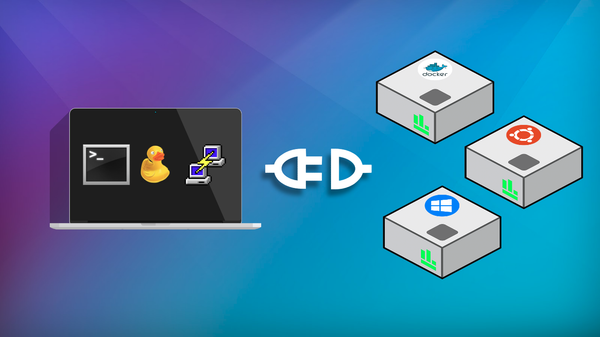
ronin link Transferring Files with RONIN LINK RONIN LINK can help you transfer files between your computer and your virtual machine over the same secure SSH login RONIN LINK already uses!
ronin link Monitoring your machine with btop and nvtop Learn how RONIN LINK’s btop and nvtop monitors reveal CPU, memory and GPU usage, helping you check job health, spot bottlenecks and choose the right machine size to save time and cloud budget.
ronin-release RONIN LINK Release: Tuesday 10th November 2026 RONIN LINK 4 is here, with file transfers, CPU and GPU monitors, the right NVIDIA driver for every GPU machine, a reorganised connect window, support for RONIN Isolate desktops, bug fixes and more!
jupyter Enhancing AI Research: Seamlessly Connecting RONIN's Jupyter Notebook to Google Colab Google Colab is a free hosted Jupyter Notebook service. This blog post will walk you through all the steps you need to connect Google Colab to your RONIN machine so that you can receive all the benefits of the Google Colab platform, without being restricted by computational power.
release-collection RONIN Release: Tuesday 17th October 2023 RONIN LINK Rebuilt! Support for Ed25519 keys. Lots of other minor features and bug fixes.
beginner-collection Logging in to your RONIN Isolate AWS WorkSpace RONIN Isolate has been designed to only be able to be accessed via a secure enclave of machines called WorkSpaces. In this blog post we describe the process of connecting to your WorkSpace for the first time.
release-collection RONIN Release: Tuesday 13th September 2022 RONIN LINK V2.3.0 - Upgraded RStudio, Custom DNS Settings, New Mount Drives Feature!
igv Visualising Genomic Data with IGV in RONIN The Integrative Genomics Viewer (IGV) is one of the most popular free, open source software packages for the visual exploration of genomic data. In this blog post we will show you how to install and configure IGV on your machine or cluster with RONIN LINK.
admin What We Talk About When We Talk About Supporting Researchers on the Cloud It's obvious, isn't it? The purpose of research computing support is to enable researchers to conduct more research faster, to make new discoveries, to publish more influential papers, obtain more grant funding, and train the next generation. But in practice...
matlab Creating a MATLAB Machine MATLAB is a programming and numeric computing platform used by millions of engineers and scientists to analyse data, develop algorithms, and create models. This blog post will show you how to create a MATLAB machine with RONIN.
netdata Easy and Extensive Resource Monitoring with Netdata When running analyses in the cloud, it's essential that you can monitor your resource usage. Understanding your compute usage is crucial in ensuring your analyses are running as efficiently as possible and making the most of your valuable cloud dollars.
server Creating a Custom BLAST Server with SequenceServer BLAST (Basic Local Alignment Search Tool) is a popular bioinformatics tool for finding regions of similarity between sequences. With RONIN and SequenceServer, you can set up your own custom BLAST server in just a few simple steps.
rdp Connecting to your Machine / Auto Scale Cluster Desktop with DCV Features * Virtual Machines Desktop with DCV - Secure Cloud Desktops * Install and Run your virtual machine Desktop securely with RONIN LINK 2.0 and above * Fully encrypted, low latency, GPU / non GPU supported instance types After creating your Windows/Linux machine: Step 1 - Open RONIN LINK Step 2 - Click CONNECT TO
jupyter Accessing a Jupyter Notebook with RONIN First up let's fire up a new Ubuntu machine. If you need a reminder on how to do that click here. Note: Some pre-configured software packages, such as the Deep Learning packages, will already come with Jupyter Notebook installed. You can select one of these packages instead
rdp Featured Create a Remote Desktop in a Snap Below we demonstrate how easy it is to create a brand new remote desktop. With RONIN you can launch a Windows environment and login within minutes.
rstudio Creating and Connecting to RStudio with RONIN LINK In this video, we will show you how to get started with RStudio in RONIN, from creating a new machine with RStudio installed, to accessing it through your web browser via RONIN LINK
ssh Accessing Your Server Application with SSH Port Forwarding Port forwarding via SSH (SSH tunneling) creates a secure connection between a local computer and a remote machine through which services can be relayed. Port forwarding with SSH to the rescue!
connect Connecting to Your New Machine Connecting to a machine in the cloud can be a bit tricky, especially if you're new to the concept. Here's a few links to get connected!