
RONIN LINK Release: Tuesday 10th November 2026
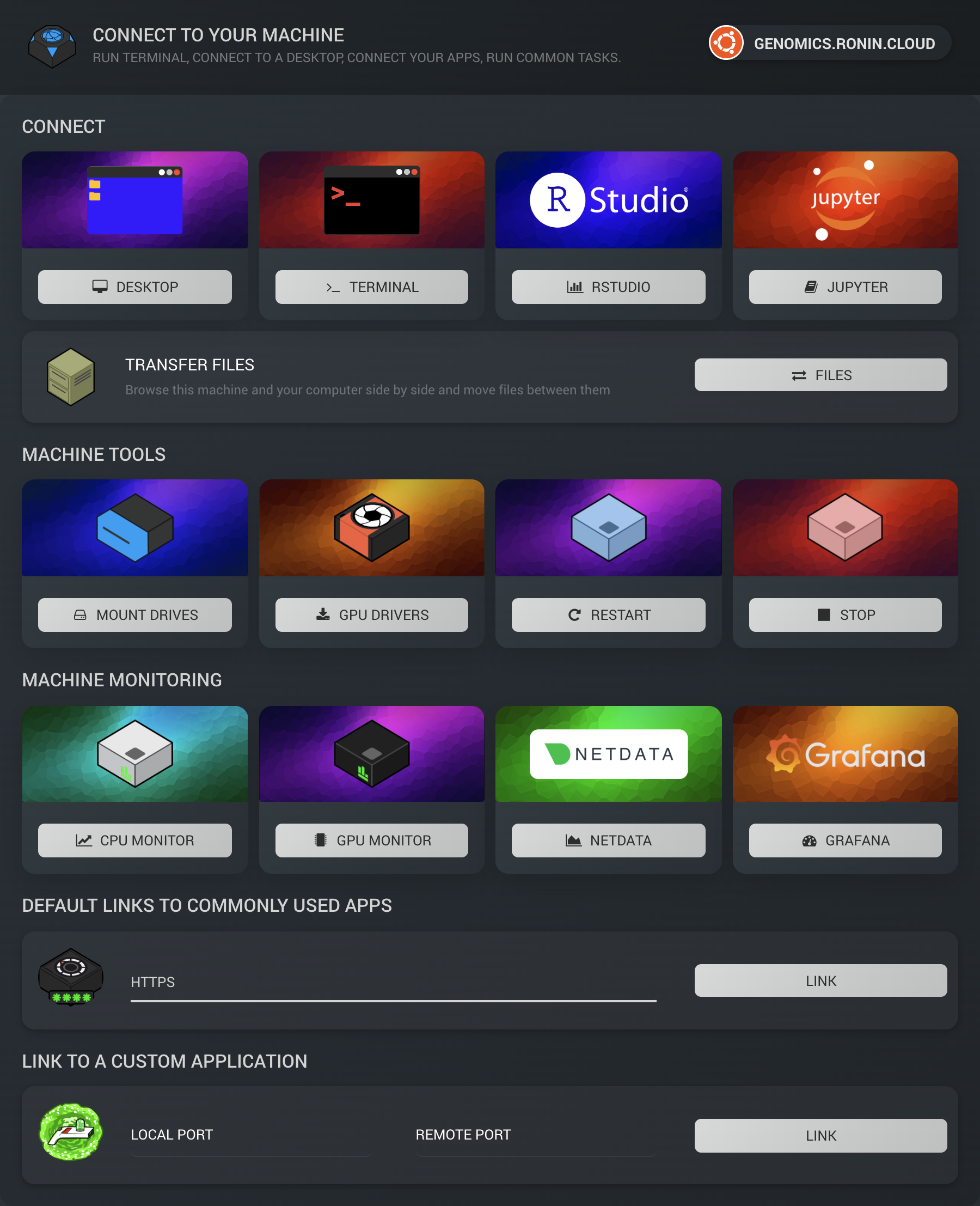
RONIN LINK 4 is here, with file transfers, CPU and GPU monitors, the right NVIDIA driver for every GPU machine, a reorganised connect window, support for RONIN Isolate desktops, bug fixes and more!


Major Features
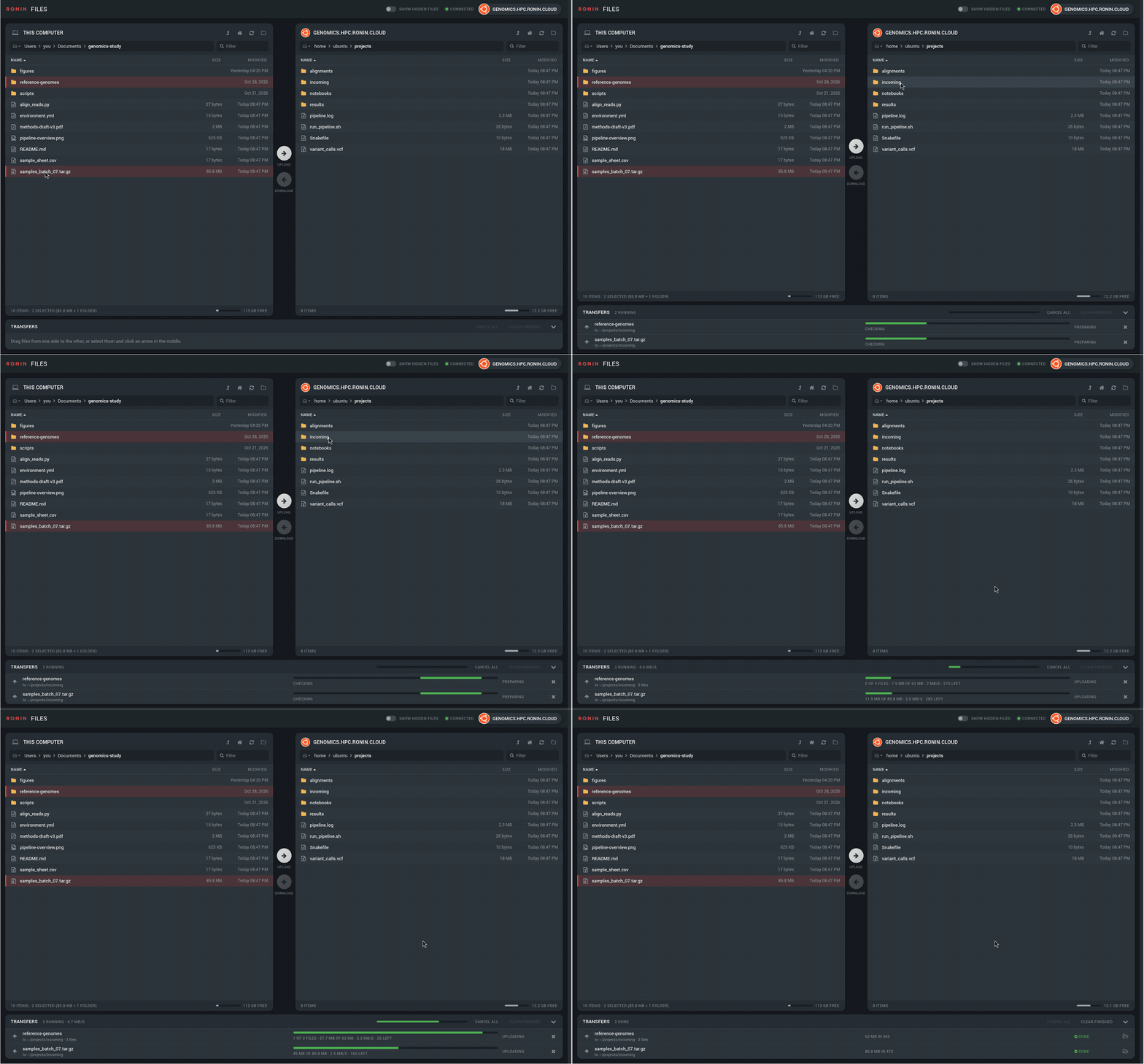
Transfer Files
- Click FILES in the connect window to browse your computer and a Linux machine side by side.
- Drag files and folders across, or select them and click an arrow. You can also drop files straight from Finder or Explorer.
- Double-click a folder to open it, or a file to send it.
- Each transfer shows its progress, speed and time left, and can be cancelled or tried again.
- Nothing is overwritten without asking, and files only take their real name once they've fully arrived, so you'll never end up with a half-copied file.
- Private files stay private when you download them.
- For more information, please refer to this blog post
CPU and GPU Monitors
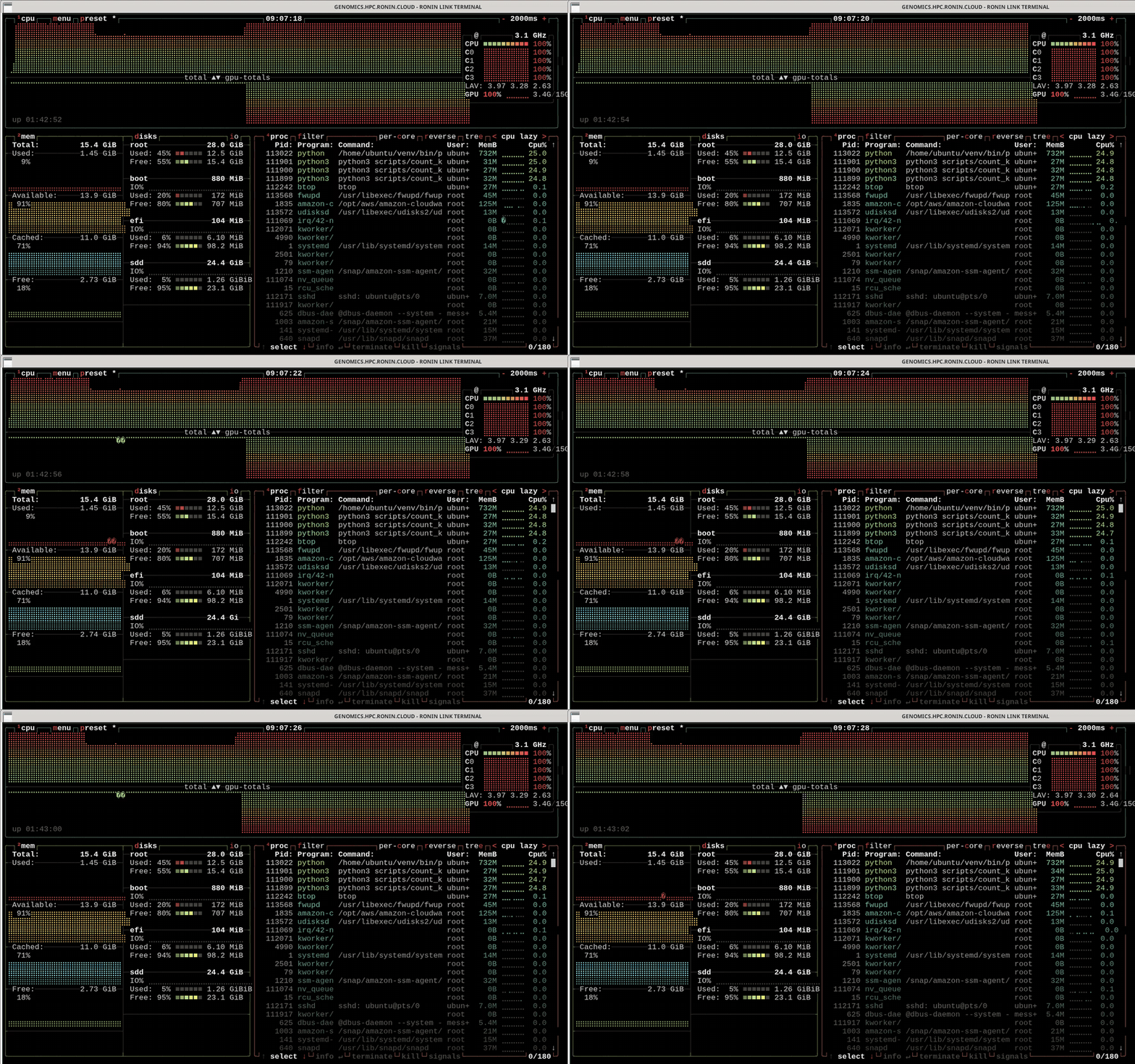
- CPU MONITOR now opens btop, a clearer, full-screen view of your machine's CPU, memory, disk, network and processes.
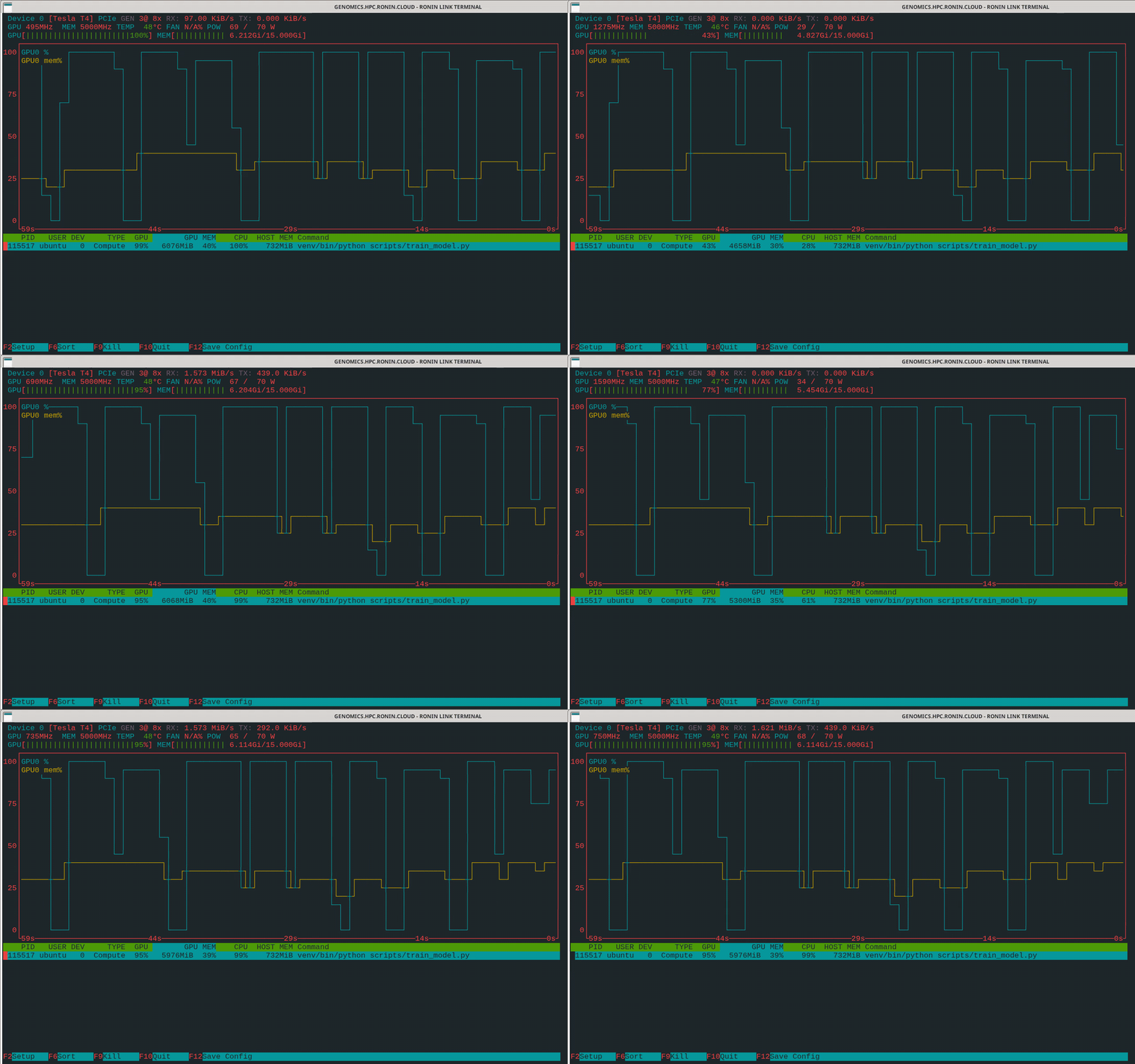
- The new GPU MONITOR opens nvtop, which shows each NVIDIA GPU's use, memory and temperature.
- Both install themselves the first time you click them.
- For more information, please refer to this blog post.
The Right NVIDIA Driver for Every GPU Machine
- GPU DRIVERS now picks the driver from your machine type: the GRID driver for graphics machines such as G4dn, G5, G6 and G6e, and the NVIDIA data center driver for P-series and G5g machines.
- Works on Ubuntu, Amazon Linux, Red Hat, Rocky and AlmaLinux. On Windows, install the GRID driver from DESKTOP.
- If a GPU only starts working after a restart, RONIN LINK offers to restart the machine for you.
A Reorganised Connect Window
- Everything is grouped into Connect, Transfer files, Machine Tools and Machine Monitoring, with a new GRAFANA button that opens your cluster's Grafana dashboards.
- Buttons say Loading until the next step is ready.
- Buttons that don't apply to a machine are greyed out, and hovering over one says why.
Minor Features
- RONIN LINK now remembers each machine’s identity (its SSH host key) the first time it connects, so another machine can’t pretend to be yours to get your password or files. If a machine’s identity changes, RONIN LINK asks before connecting. This is expected after packaging a machine or cluster in RONIN, or replacing a machine with a new one of the same name.
- Installs now show a progress bar and the current step, with the terminal one click away if you want to watch. If an install fails, a dialog explains why, with a button to open the full log.
- RONIN LINK can now find a newly launched machine even when your DNS server can’t yet, and tells you to wait a minute if its name hasn’t been published.
- If your GPU machine’s desktop was set up without the NVIDIA driver, DESKTOP offers to install it.
- On Windows machines, the connect window only shows what works there: Desktop, Terminal, Restart, Stop and your links.
- Terminal windows are bigger by default.
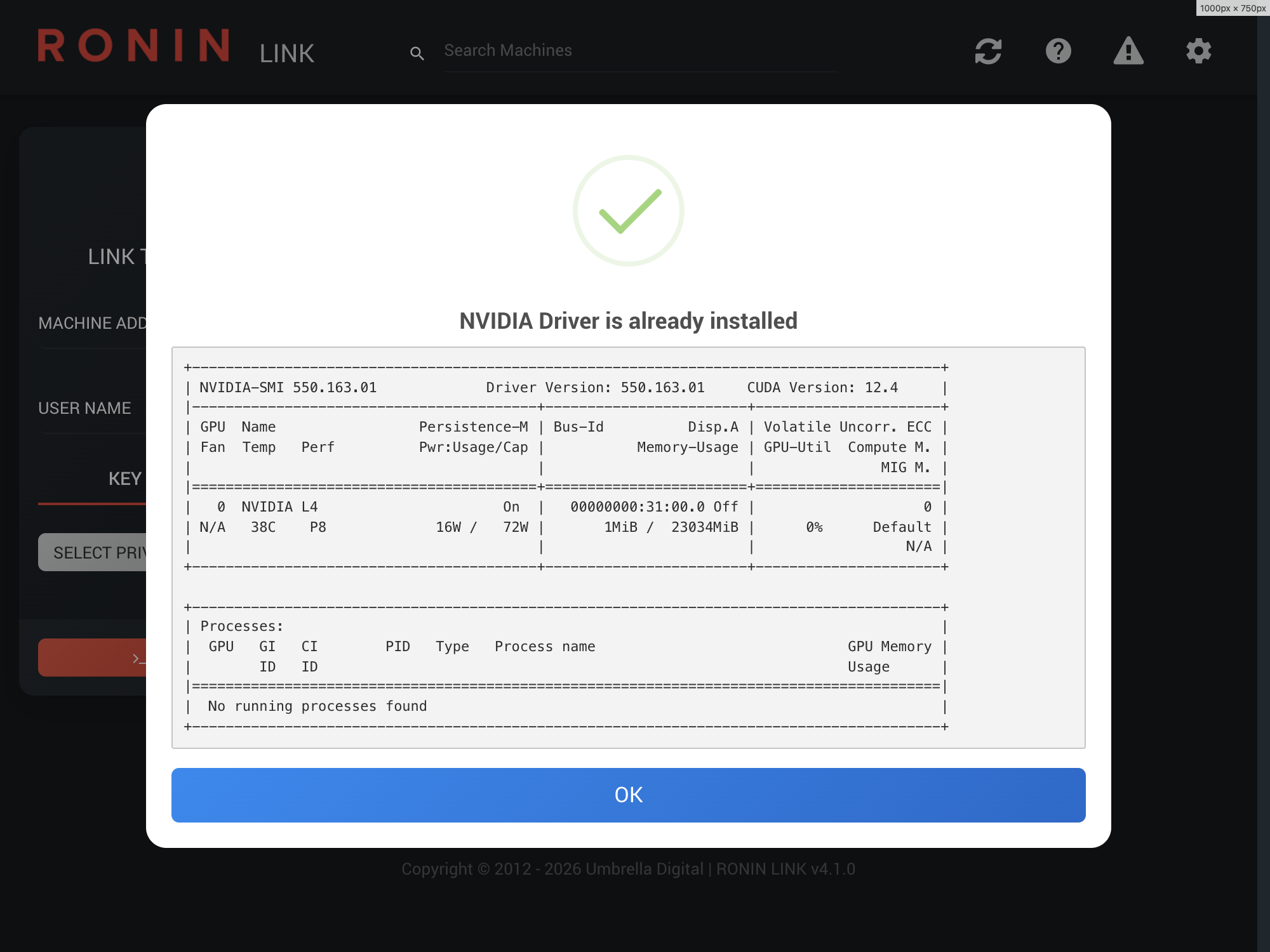
- GPU DRIVERS shows the driver’s status in a dialog when it’s already installed.
- RONIN LINK now works on RONIN Isolate desktops. Your machine cards and keys are kept in your Home Folder between sessions.
- RONIN LINK warns you before installing an app if your machine's root drive is nearly full, and tells you if an install doesn't finish.
- MOUNT DRIVES checks for the tools it needs first and offers to install them.
- DESKTOP is greyed out on operating systems that only run Wayland, such as Red Hat 10 and Ubuntu 25.10, where the desktop can't run yet.
- Custom links open apps that use HTTPS with
https://automatically. - Updated to Electron 42, with extra security hardening.
Bug Fixes
- Fixed bug when a button stayed on LINKING after a failed install's terminal window was closed.
- Fixed bug when RStudio failed with a misleading error on Amazon Linux and Red Hat, which it doesn't support.
- Fixed bug when the GRID driver stopped working after a restart on Red Hat, or wasn't reinstalled once it had stopped working.
- Fixed bug when a failed GRID driver install on Windows didn't say why.
- Fixed bug when the desktop opened the wrong session type straight after it was installed.
- Fixed bug when Jupyter couldn't be installed again after a failed Miniconda install.
- Fixed bug for RStudio installs on machines with a username other than
ubuntu. - Fixed bug for Netdata installs on Red Hat 10.
- Fixed bug when installs on Ubuntu paused at a "Daemons using outdated libraries" prompt.
To update, download the latest version from our RONIN LINK blog post,