
RONIN Release: Wednesday 24th June 2026
CUSTOM PROJECT TERM, MACHINE MONITORING, MORE OS SUPPORT, GRANULAR PACKAGE SHARING, CUSTOM OLLAMA MODELS, BULK MACHINE TOOLS, GPU SPECS, END DATE PAUSE AND SO MUCH MORE!


Features
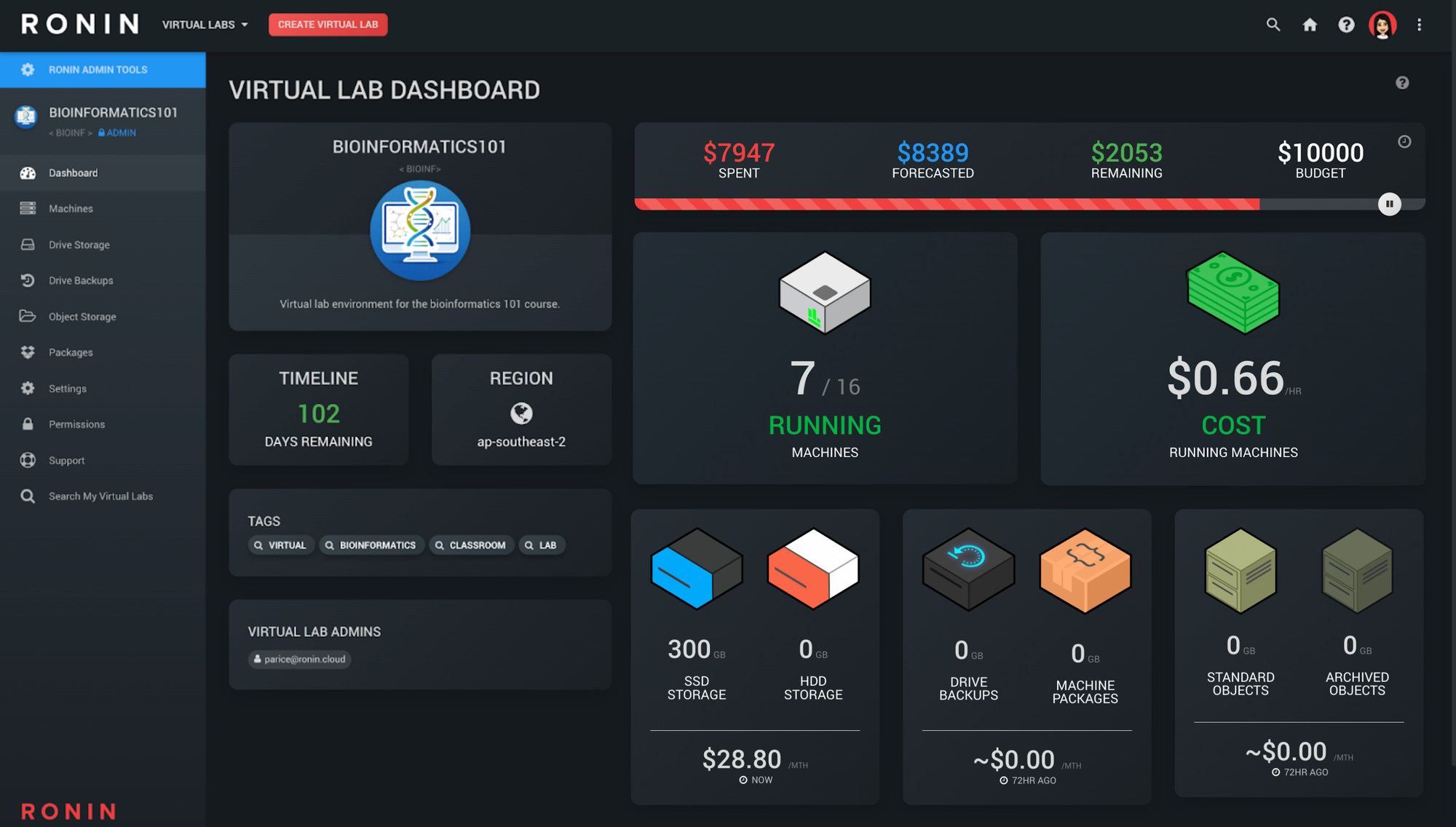
Custom Project Term
- Using RONIN for virtual classrooms or labs? You can now change the default term of "Project" to what makes most sense for your user base!
- Please contact us if you would like to set your own custom term in RONIN
Machine Monitoring Tab
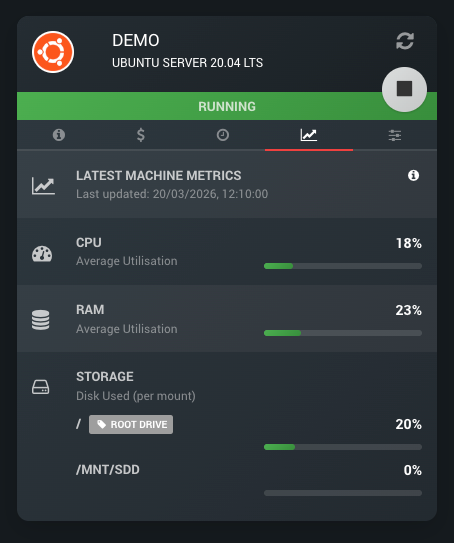
- RONIN machines now have a fancy new monitoring tab that will show users average RAM, CPU and Disk usage on their machine while it is running
- We leverage the Amazon CloudWatch agent to obtain and update these statistics. By default these statistics are typically aggregated and updated every ~5 minutes.
- Want more granular metrics? Ask us about enabling detailed monitoring (~1 min) on your machines with RONIN!
💡
Stats not showing for your existing machine?
You just need to pull the latest RONIN CloudWatch config by running this command in the terminal of your Machine.
For Linux:
For Windows:
You just need to pull the latest RONIN CloudWatch config by running this command in the terminal of your Machine.
For Linux:
/opt/aws/amazon-cloudwatch-agent/bin/amazon-cloudwatch-agent-ctl -a fetch-config -m ec2 -c ssm:ronin-cw-linux -sFor Windows:
powershell -NoProfile -ExecutionPolicy Bypass -Command "& 'C:\Program Files\Amazon\AmazonCloudWatchAgent\amazon-cloudwatch-agent-ctl.ps1' -a fetch-config -m ec2 -c ssm:ronin-cw-windows -s"Restricting OS and Preconfigured software to certain projects
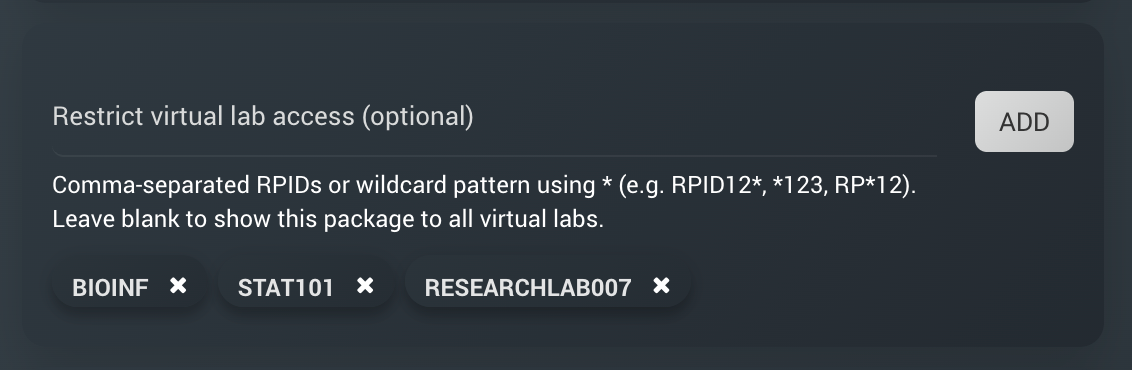
- In the RONIN package catalogue, Admins can now restrict base OS offerings and pre-configured software stacks to particular projects
- Not only is this handy in ensuring students only have access to environments they should, but it can also be used as a great way to share datasets, software licenses or other assets that you don't want all users having access to
- Projects can be added to this field one by one, using a comma separated list, or by using a wildcard
*
More Base OS Support
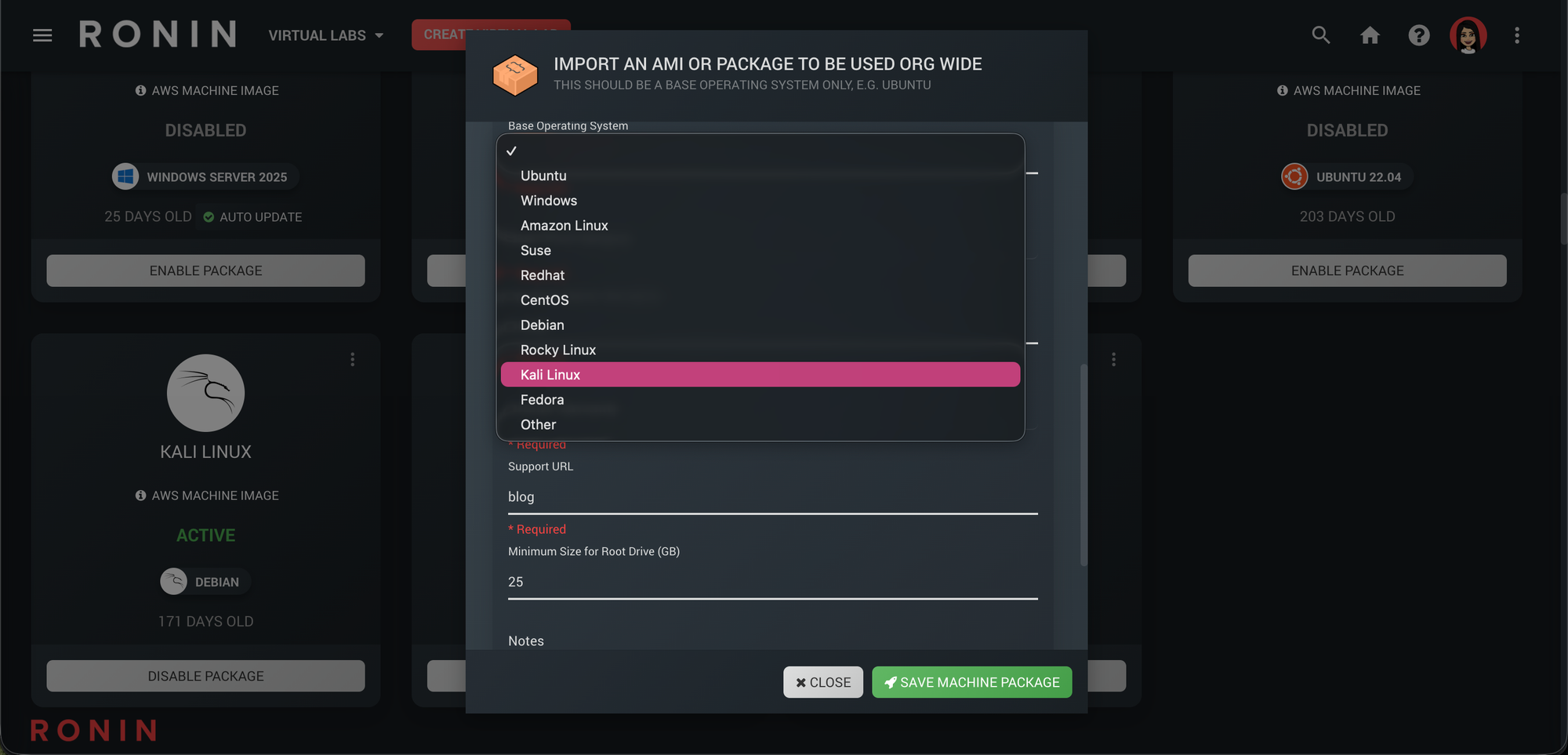
- RONIN now provides additional OS options when adding a base OS to the RONIN package catalogue including Debian, Rocky Linux, Kali Linux, Fedora or "Other"
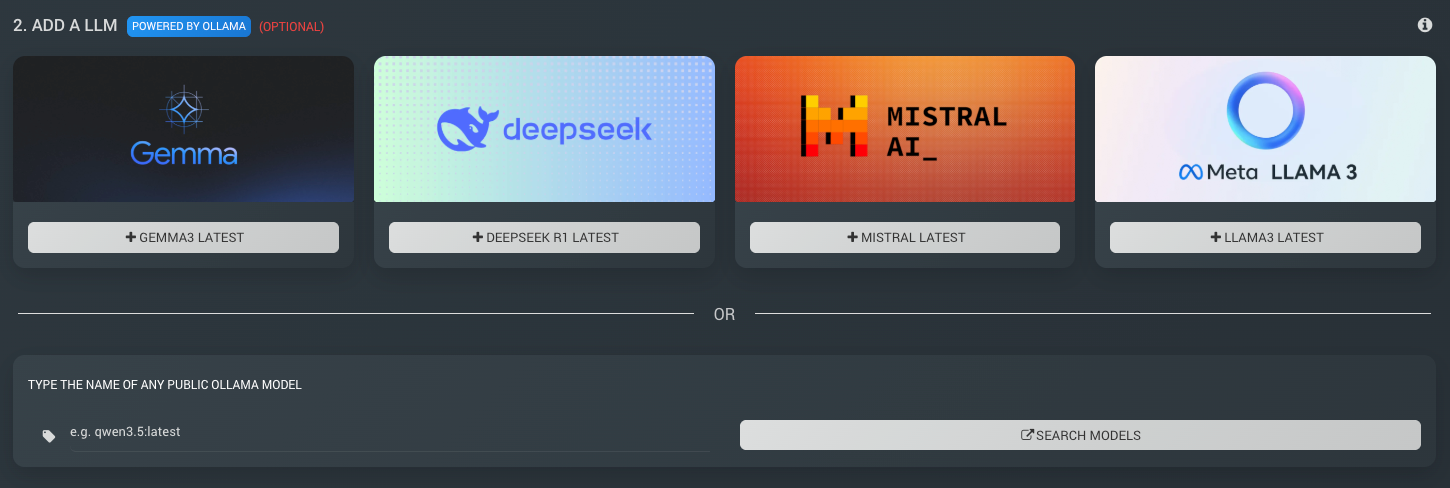
Custom Ollama Models
- Users can now use any public Ollama model with our new AI Machine creator - see this blog post for more details
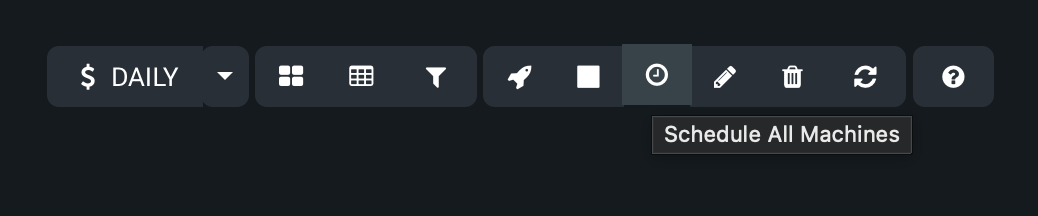
Bulk Schedule, Resize and Terminate Button
- From the bulk action tools at the top of the Machine Summary screen, users can now schedule, resize or terminate ALL machines within their project at once
- Note that machines must be of the same architecture (x86 or ARM) and same OS to resize them all at once, since instance types and their pricing are dependent on these specifications
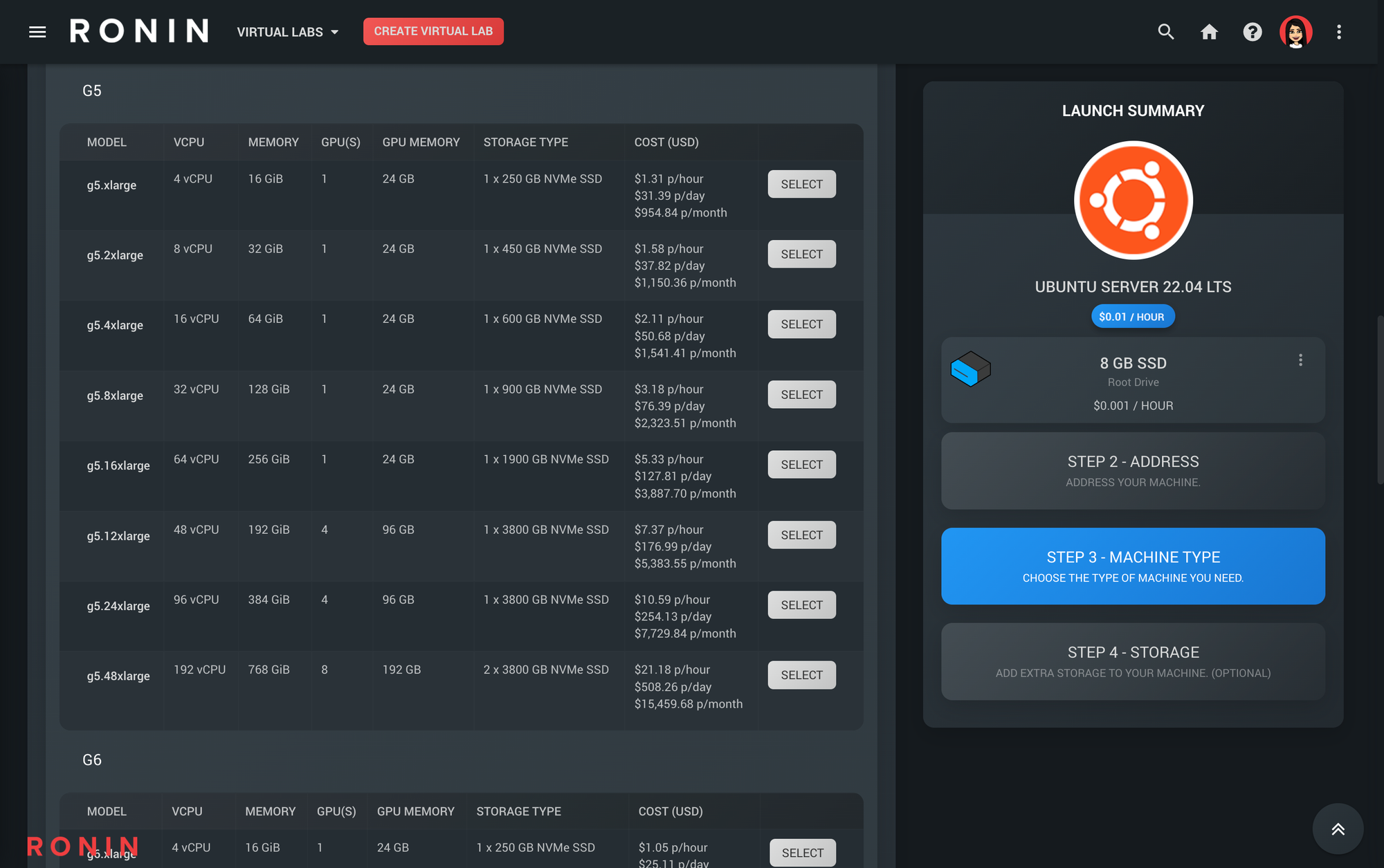
GPU Specs
- GPU Memory (VRAM) is now displayed in the machine table and machine specs throughout the UI for GPU instances
End Date Pause
- You can now enable projects to be auto paused once their end date is reached
- Want to make sure your students no longer have access to a project at the end of semester and ensure all their machines are also stopped to save costs - contact us about enabling this feature on your account
Minor Improvements & Bug Fixes
- Added an internal RONIN configuration switch to disable AI tools in non internet connected accounts
- Windows password minimum length is now 16 characters to ensure compliance with the latest NIST guidelines
- Improved privilege separation by relocating IAM group policy permissions for RONIN s3 buckets from the web server to a dedicated Lambda function
- Added warnings when a project is resumed to let the Admin know if the budget, autopause or end date should be updated
- Linux based machines show as initialising until status checks come back - preventing users connecting too early and disrupting the launch process
- Improved error reporting on subnet exhaustion
- Clusters now launch with GP3 EBS drives as default to improve performance and reduce costs
- Machine instance type offerings are now filtered to show only those that are available in the selected project's availability zone
- Cluster instance types are now filtered to include only the generations that are compatible with our LTS version of parallelcluster to prevent failed launches
- The total cost for running machines on the project dashboard now accounts for software costs as well as instance costs e.g. Windows licensing costs
- When creating a new project and selecting an availability zone, RONIN lists which GPU instances are available within that AZ
- Resolved machine table formatting for specialty instances such as AWS inferentia
- Fixed bug where exporting data from the admin audit table screen would only export the first page of results, not all of the results